





Description
| Work time | More than 24 hours |
| Producer | Apple |
| Weight | 4 g each |
| Connection type | Bluetooth |
| Device type | Wireless headphones |
| Headphone type | Insert |
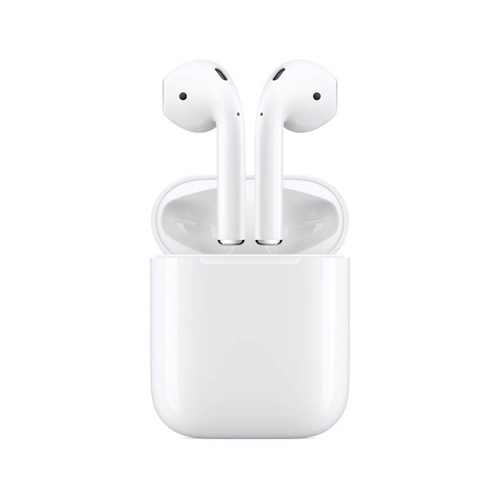
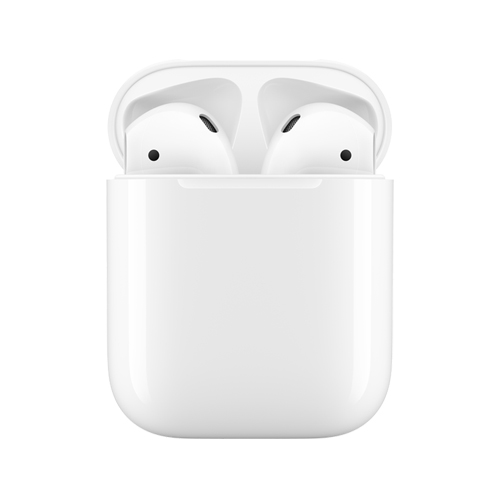
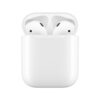
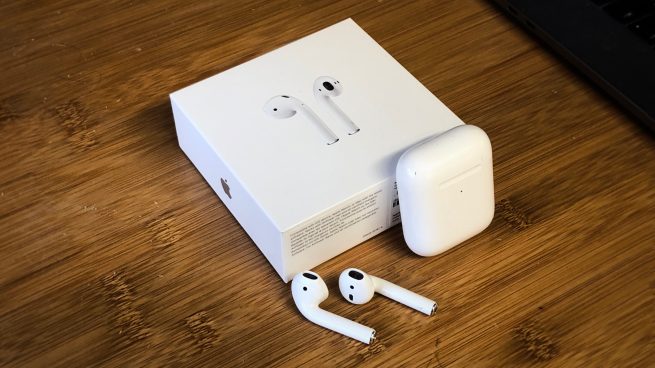
Airpods 2 headphones in a charging case
The new AirPods will completely change the way you think about using wireless headphones. Take them out of the case – and they are ready to work with your iPhone, Apple Watch, iPad or Mac.
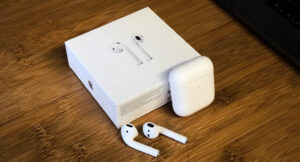
AirPods with Wireless Charging Case
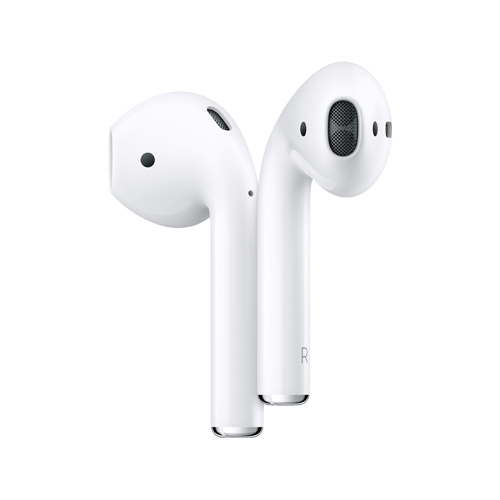
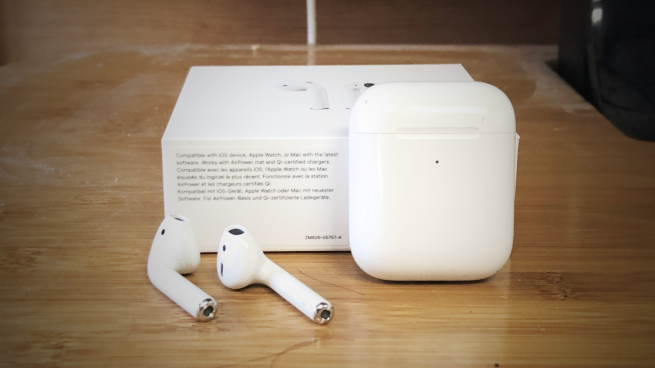
AirPods fit my ears fine and the new models are no different. My primary complaint with the earbud design is the seam that runs around the cup, which you can feel with your fingers, see with your eyes, and slowly fills with dirt and grime. The new AirPods do nothing to address this and in fact it seemed like the seam was even more visible out of the box than it was with the first-generation. I figure how badly a new pair exhibits this niggle is probably a luck of the draw.
The pinhole LED moves from inside the lid, to the front face, so you can see the charging status when laid down on a wireless charging pad, although it does sort-of ruin the seamless plastic aesthetic. The wireless charging case is a touch heavier than the normal case, as it houses the necessary components for Qi charging, and has a redesigned hinge. You can see with your eyes that the hinge has changed; they’ve even dropped the mirror reflective finish for a metallic matte appearance. It still closes with that iconic snap though.
Lower latency and faster connections
Apple makes a big deal about the H1 chip replacing the W1 chip in the new AirPods. They tout longer talk time, faster connections when switching between devices, lower latency for realtime sounds (ie. like when playing games), and the addition of always-listening ‘Hey Siri’.
I haven’t had a chance yet to test if the longer talk time claims are legitimate. I assume it’s probably accurate and patches over a common complaint with the first-generation; the battery goes down fast when both the speaker and mic are active for phone calls. However, the bigger question with battery life is how long can the ‘day one’ battery performance holds up over time. I suspect a lot of people upgrading to AirPods 2 this week are simply AirPods 1 owners who have seen their battery life degrade substantially as the small capacity batteries inside the earbuds age relatively quickly. Apple has not said if this is improved or not, but I wouldn’t expect it too. Battery chemistry needs to evolve.
You definitely notice that the new AirPods connect faster and switch between devices much more quickly than the older generation. You can throw them in your ears and it takes only a beat to change to the Mac when you select the audio source from the menu bar. The switching isn’t instantaneous but rather than 5-8 rotations of the loading spinner in Control Center, now you only get 2 or 3. It makes a big difference.
The lower latency is also noticeable. When I’m bored, I play Crossy Road on my phone, mindlessly swiping the chicken around the cars. When wearing first-gen AirPods, I would always leave Crossy Road on mute as the delay between performing the action and hearing it in my ears was simply too much. The AirPods 2 improve on this substantially such that playing with music and sound effects enabled is now bearable given the reduced sound lag.
(Some early commenters around the web noted that the AirPods 2 feature superior audio quality when playing music. I cannot perceive any marked improvement compared to day-one first-generation AirPods. I think the difference people are hearing comes from the fact that their current AirPods have been filled up with gunk over the last two years of usage, which impacts the loudness and clarity of the sound, if not cleaned out properly.)
Hey Siri
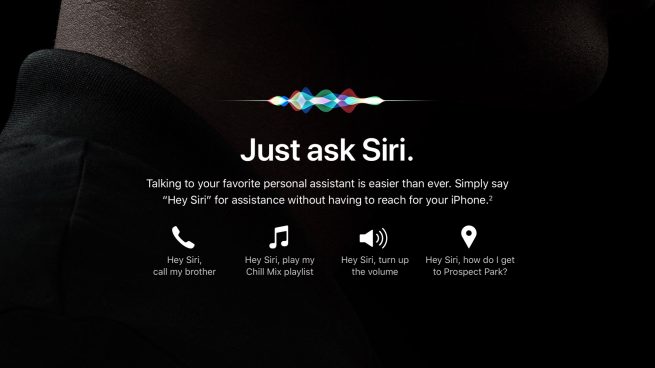
The addition of always-on Hey Siri is a surprisingly big leap for the product. Speaking to the air is much more natural than the double-tap gesture. For public settings, there’s still the self-consciousness barrier to being okay with talking to yourself whilst walking down the street. In the privacy of my own home, I have no qualms saying Hey Siri and talking to the air to skip a track or change what I’m listening to. iPhone, iPad, HomePod, Watch. I have so many devices listening for the ‘Hey Siri’ trigger around me and yet the inclusion of the feature in the new AirPods does not feel redundant.
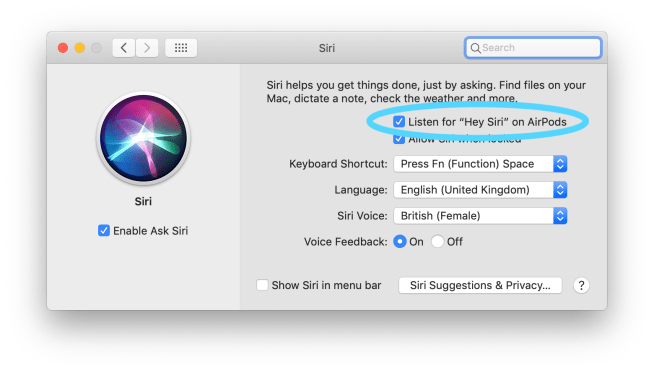
The ‘Hey Siri’ setting for AirPods respects the setting of the paired device. To use ‘Hey Siri’ on AirPods with your iPhone, you need to have ‘Hey Siri’ enabled for the iPhone too. You cannot have these toggles set independent of each other, like if you wanted to have ‘Hey Siri’ active only when your AirPods are in. My 2016 MacBook Pro does not support ‘Hey Siri’ on its own, but a new checkbox appeared for ‘Listen to Hey Siri’ using AirPods.
Up to now, I had been mostly relying on the ‘Raise to Speak’ functionality of Siri on Apple Watch for my voice command requests. Now that the AirPods are at my beck and call when they are in my ears, I see myself preferring that route to Siri over anything else. You can safely talk to your AirPods and not worry about every other device waking up to your command. Having AirPods mean causes the paired device to become the leader and every other Siri client defers to it. The AirPods ‘Hey Siri’ even beats the HomePod in the order of priority.
One thing that is slightly strange about using Siri with AirPods is that it makes your phone screen light up with the Siri transcript, even when your phone is locked in your pocket. This was true with first-gen AirPods too. Apart from the detection of the hot word, AirPods obviously relay your request to the connected device (this requires the latest software updates like iOS 12.2 and macOS 10.14.4). It’d be nicer if the AirPods could handle basic commands like ‘Play/Pause’ or ‘Next Track’, speeding up the most frequent voice controls and removing a dependency on the availability of a data connection.
A quiet improvement with the second-generation AirPods is that the sound quality of the Siri voice is much clearer. It sounds as good as listening to music or a podcast. With the first-generation buds, there would be a noticeable step down in sound quality whenever the microphones were activated. I don’t know if this enabled by the H1 chip or Bluetooth 5 or what, but it is a significant enhancement to the experience.
Wireless Charging
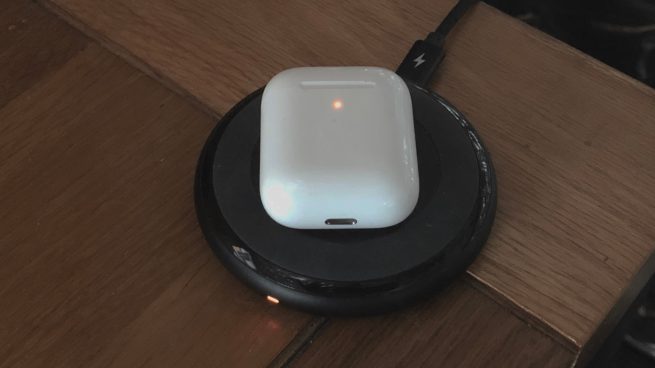
The last thing to discuss is the addition of Qi wireless charging for the case. When you rest your AirPods charging case on a charging mat, the status light shines amber. After a couple seconds, the light dies away. The first time I did this I thought I had knocked the case accidentally and it had stopped charging. Unlike pretty much every other Apple product in existence, the charging light on the AirPods does not stay on whilst it is charging.
This is pretty stupid as it also means the case has no visual opportunity to signal that it has reached 100% charge To check the charging status, you either dig into the Battery widget on the device the AirPods were last connected to, or you have to pick up the AirPods off of the Qi charger, then open the lid, to make the status LED light up again for a few seconds.
Of course, the behaviour of the LED is no different to the original AirPods case when you plugged in a cable. The difference is that whenever I used a Lightning cable I didn’t feel a shred of doubt that the AirPods were not actually charging. Wireless charging does not have that same firm tangible reliability.
The AirPods gets warm to the touch when inductively charged by the way. In terms of charging speed, wireless charging seems to add about 8% for every ten minutes on the mat. Performance may vary depending on which mat you use. Some Qi mats manage heat more efficiently and therefore could charge the case faster.
Assuming the AirPower mat ships as advertised, I think a lot of these edge-cases fall away. The AirPower charging mat promises that the charging case can be anywhere on its surface and it will charge. There should not be any way to second-guess yourself. The charging status of the case will also be visible on an iPhone that is charging on the mat too.
The wireless charging case definitely exists to complete the AirPower story, but the novel hasn’t been published yet which throws a spanner in the vision. It will be really nice to lay down a phone, the Apple Watch and the AirPods at night and not have to worry about anything.


Reviews
There are no reviews yet.